Bring order to your memberships and classes.

Gym, studio, and school management software. For independent schools, studios, and gyms.

Run memberships and billing alongside bookings, front desk visits, retail, and staff follow-up in one workspace.

Classes are optional. A gym that sells memberships and checks members in at a staffed front desk can use Rovari without a class schedule. Rovari for gyms

Public signup is not open yet.

Class bookings for one week at Example Studio

  1. Mon6:00 AMStrength circuitMain floor14 of 16 places booked.
  2. Mon7:15 PMVinyasa flowStudio B12 of 12 places booked, 2 on the waitlist.
  3. Tue12:15 PMVinyasa flowStudio B8 of 12 places booked.
  4. Tue4:30 PMBeginner swimPool, lanes 1–26 of 8 places booked.
  5. Wed6:00 AMStrength circuitMain floor11 of 16 places booked.
  6. Wed7:15 PMVinyasa flowStudio B10 of 12 places booked.
  7. Thu12:15 PMVinyasa flowStudio B7 of 12 places booked.
  8. Thu4:30 PMBeginner swimPool, lanes 1–25 of 8 places booked.
  9. Fri6:00 AMStrength circuitMain floor9 of 16 places booked.
  10. Sat9:00 AMBeginner swimPool, lanes 1–27 of 8 places booked.
89 bookings across 10 classes, with 2 people waiting.

Run the day-to-day business

  • Enrollment and member records

    Review joining applications and keep contact details, family roles, and signed waivers with member records.

  • Plans and membership changes

    Set plans and prices. Review dates and amounts for changes, including pauses and discounts, and keep account credit with the payer.

  • Recurring card billing

    Recurring invoices follow each membership’s billing date. Collect card payments through your connected Stripe account and follow failed payments through recovery.

  • Classes and private sessions

    Manage class schedules, capacity, bookings, and waitlists. Publish instructor availability for members to book private sessions.

  • Member portal

    Members check their membership and bookings. Payers review invoices, update a card, and request a pause or cancellation for staff to decide.

  • Front desk visits

    Check eligibility and record arrivals for general gym visits or classes. A general visit needs no class booking.

  • Retail and stock

    Sell products through browser-card checkout, track stock by location, and process returns against the original receipt.

  • Staff responsibilities and follow-up

    Assign staff roles and location access. Give inquiries a follow-up owner, and hand member conversations to the staff handling them.

  • Owner review

    Review member requests and payment failures. Reports separate received payments from unpaid bills, with membership counts and CSV exports.

How it works

Follow a missed card payment through the member portal, staff billing view, front desk, and owner report. Each screen shows what changed and what still needs attention.

  1. Alex Chen's next monthly invoice is ready

    InvoiceSeven days before it is due

    Each recurring invoice falls due on the membership's own billing day, and Rovari draws it seven days before that day. The payer sees it in the member portal with its service period and due date, and nothing is charged before that date.

    Member portalBilling
    The Billing card in Alex Chen's member portal. The saved card is a Mastercard ending in 4444 that has expired, and $120.00 is open. Under Recent invoices, the new Monthly unlimited invoice is due, and the two before it are paid.
  2. The card is declined, and seven days of grace begin

    DeclineOn the due date

    The saved card had expired. The member's billing page shows the amount overdue and the exact time the grace ends, and asks for a new card. During the grace, the failed payment does not stop Alex from checking in.

    Member portalBilling, in grace
    The same Billing card after the decline. A notice says the payment is overdue and the grace period is active, gives the exact time the grace ends, and says $120.00 remains overdue. Below the saved card, a second notice reads Payment attempt failed and asks Alex to update the card.
  3. The owner sees the unpaid invoice and when the grace ends

    OwnerOn the due date

    The staff billing view shows payment failures and member requests that need attention. After a card is declined, staff can see both the unpaid invoice and the account’s grace period, including the amount owed and when grace ends.

    • Members pay by card through your organization's connected Stripe account.
    • A failed card payment adds no late fee and does not cancel the membership.
    Staff back officeBilling operations
    The Action queue in Billing operations, with two rows for Alex Chen. The grace row is open: its state is Grace, the amount is $120.00, and it shows when the grace ends. The other row is the receivable for the Monthly unlimited invoice.
  4. The grace ends unpaid, and the Desk shows Alex as not eligible

    AccessWhen the grace ends unpaid

    In Alex's example, the failed-card restriction starts when the grace ends with money still overdue. Until every overdue invoice on the payer's account is settled, the people that account covers are not eligible at the Desk. A person your organization has exempted from the payer's failed payments is not restricted, and another membership may still grant someone access.

    • Staff can record the refused arrival. Recording it does not override access.
    Staff back officeDesk, after the grace
    Alex Chen's record at the Desk, with the evening Vinyasa flow class selected. The attendance panel reads Not eligible for Group classes and offers Record denied attempt. Under Access, Group classes is Suspended and marked Not eligible.

Alex replaces the card in the member portal

CardAfter the grace

Stripe collects the new card in its secure form, and the portal shows it as submitted. Once Stripe confirms the card is ready, Rovari can try the payment again. Adding the card does not pay the $120.00 invoice, so it stays open and the restriction remains until Stripe confirms a successful payment.

Member portalBilling, new card sent
Alex's Billing card after a new card is submitted. Stripe still needs to confirm the card. The payment restriction is active, and the $120.00 invoice is unpaid.

Stripe confirms the payment

PaidWhen payment is confirmed

Saving the card lets Rovari try the payment again; it does not pay the invoice. In this example, Stripe confirms a successful payment for Alex's only overdue invoice. The portal, the Desk, and the owner report then reflect the payment without staff having to clear the restriction.

Member

Member portal · Billing, after the payment

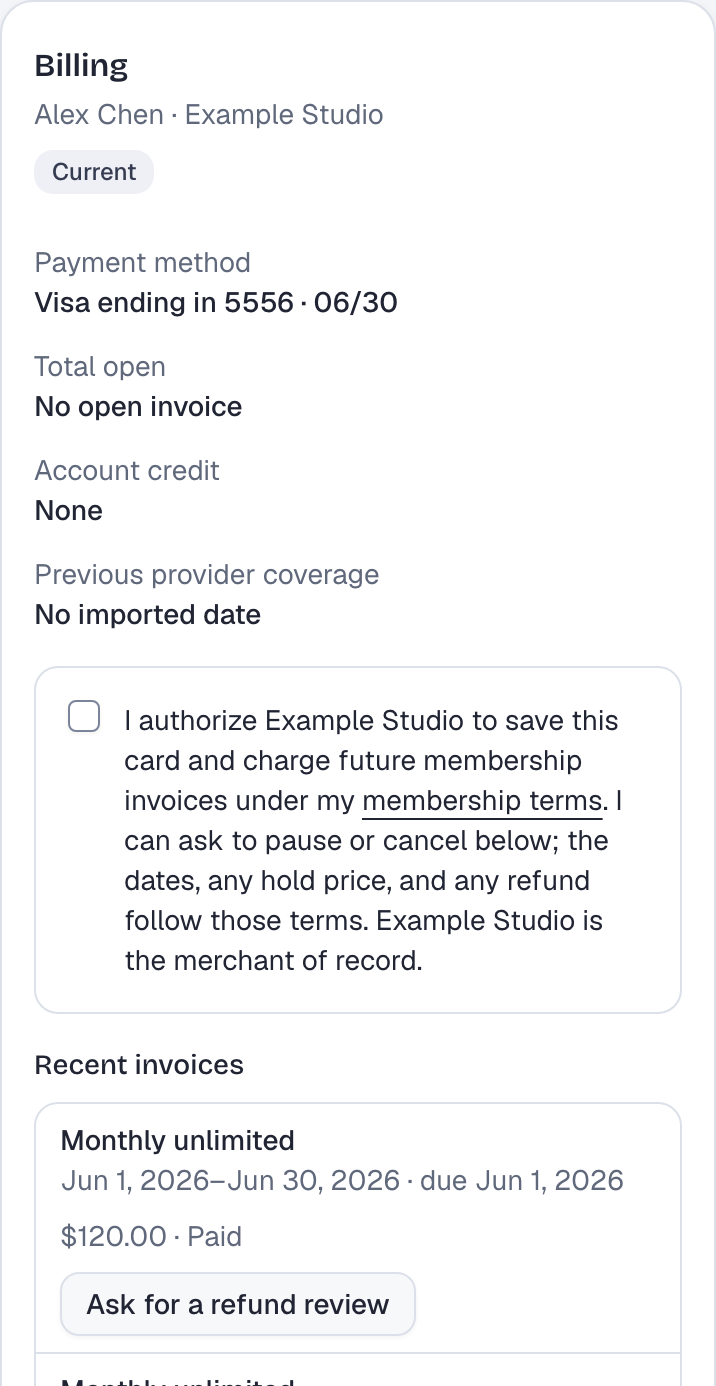
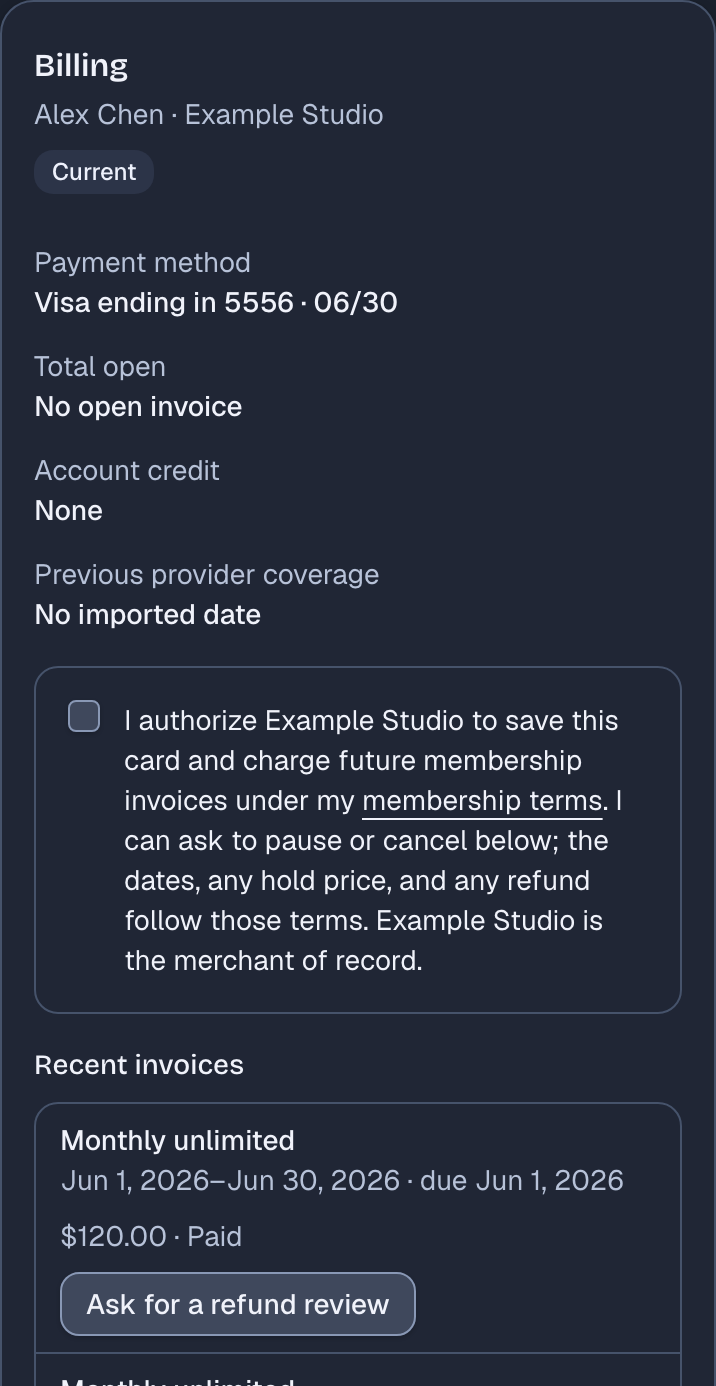
Alex's Billing card after the payment settles. It shows the new saved card and No open invoice, and under Recent invoices the Monthly unlimited invoice reads $120.00, Paid.

The billing page shows the new saved card, no open invoice, and the monthly invoice marked paid. The payment restriction notice is gone.

  • If the card issuer asks for verification, the portal takes the payer back to that payment to complete it.

Front desk

Staff back office · Desk, after the payment

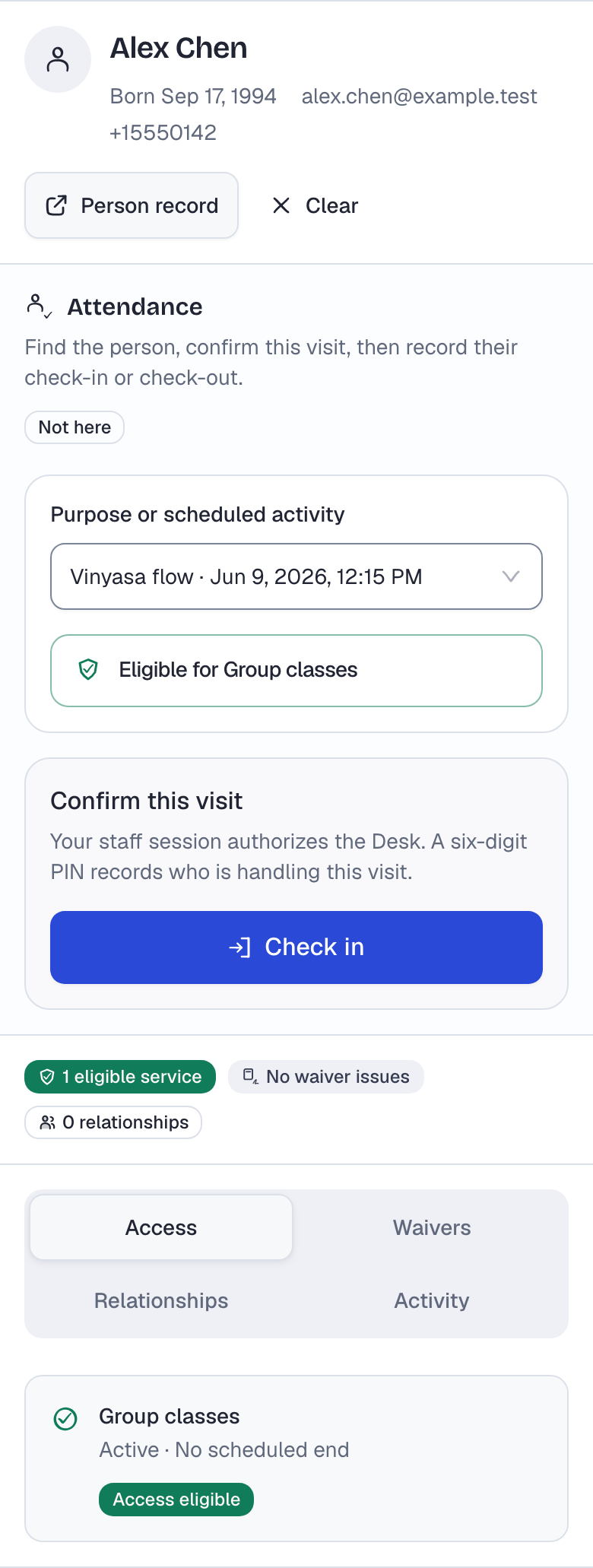
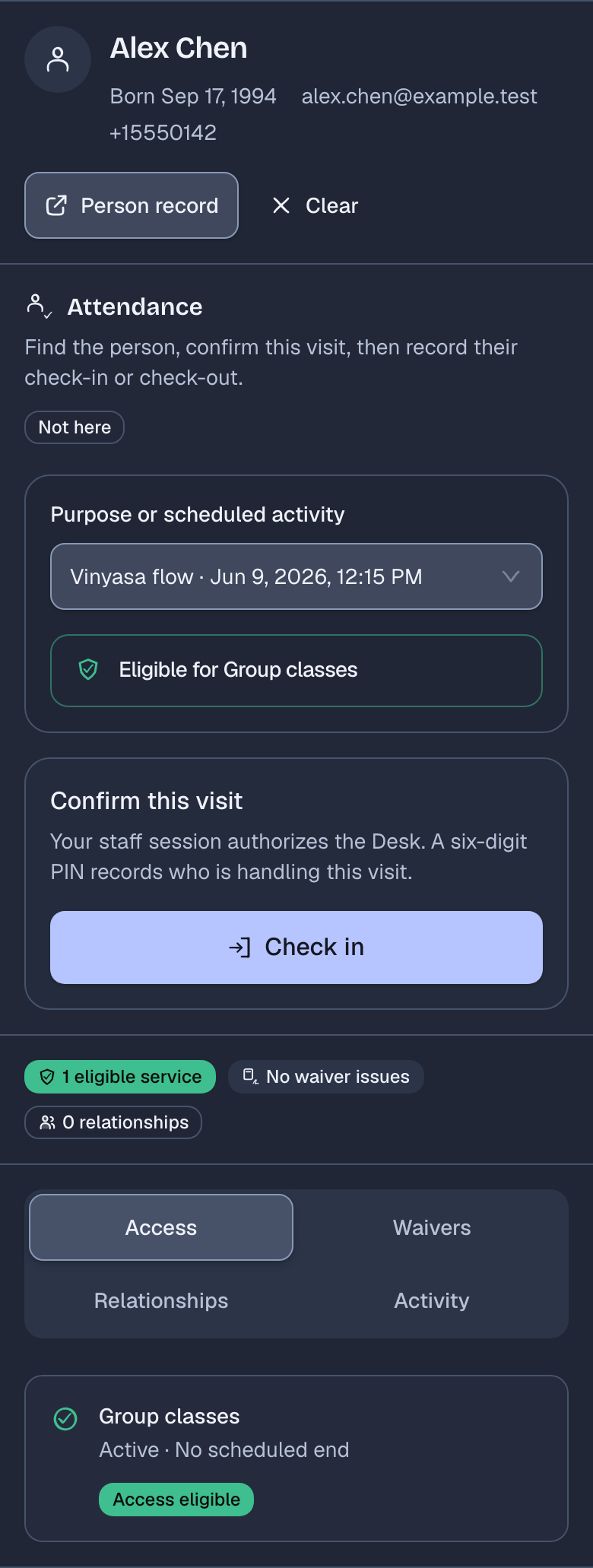
Alex Chen's record at the Desk after the payment, with a Vinyasa flow class selected. The attendance panel reads Eligible for Group classes and offers Check in.

With nothing overdue left on the account, the failed-card restriction ends. Alex has no hold, missing waiver, or other entry rule in the way, so the Desk shows Alex as eligible again. Staff still record the check-in.

Owner

Staff back office · Reports, money received

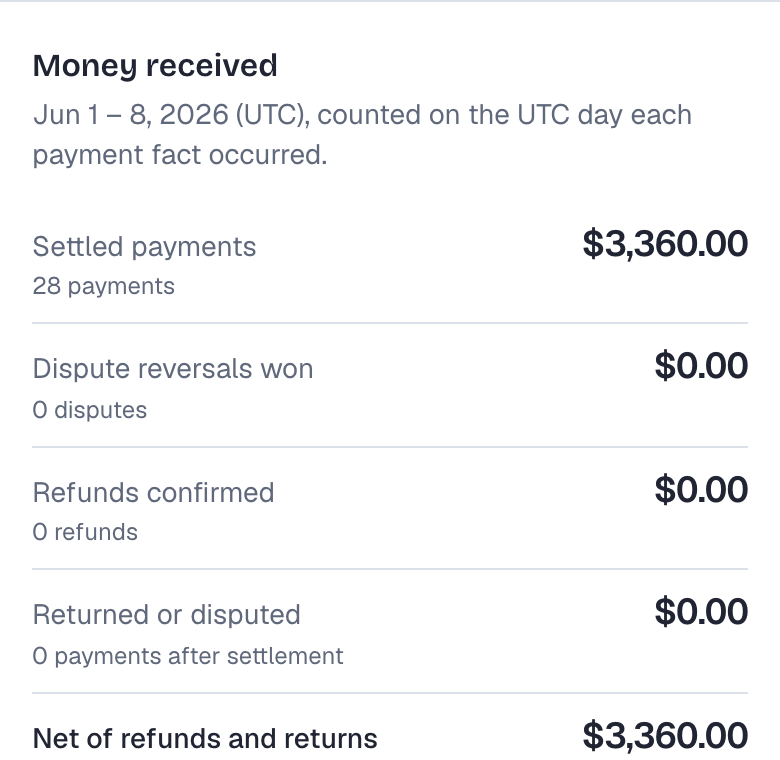
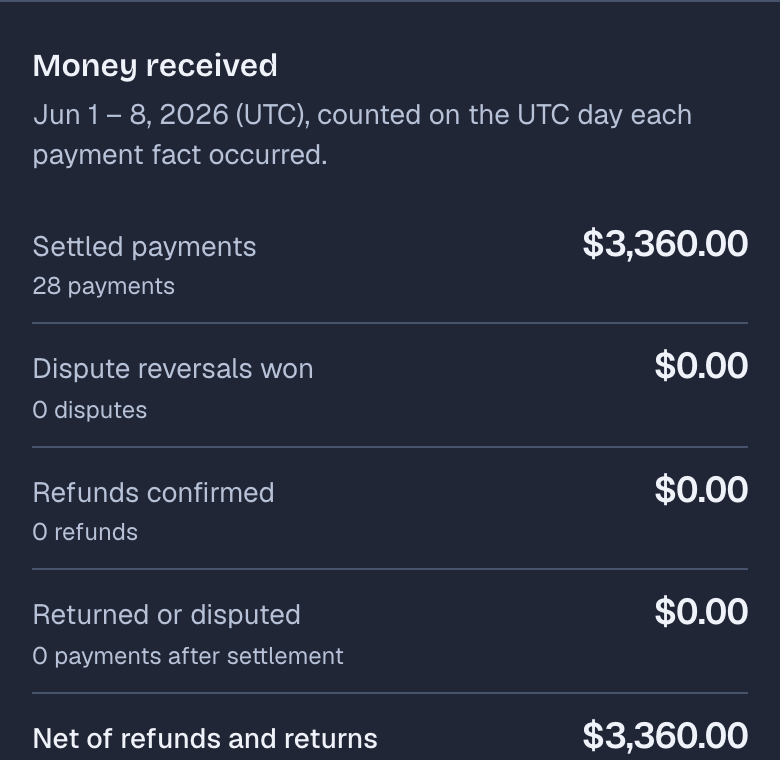
Money received for the same period, read after the payment: settled payments of $3,360.00 from 28 payments, no dispute reversals, refunds, or returns, and a net of $3,360.00.

The owner report counts the payment on the day it settles. The declined attempt counted for nothing, and the same period now shows 28 payments received instead of 27. Money received does not mean revenue earned or money deposited in your bank account.

Already use Rovari?Sign in to your workspace

Classes, pauses, families, and levels

A class schedule is optional. A membership can cover general visits that staff check in at the Desk, such as open gym time, so a gym that sells memberships without classes fits as well. Add the workflows below where you run them. Rovari for gyms describes that setup.

Organize the class day

Recurring schedules and bookings share one staff calendar, where each class shows its bookings against capacity and, when someone is waiting, its waitlist. Staff can check whether a membership covers the class before recording attendance.

  • Set capacity and booking windows when you schedule a recurring class.
  • An optional waitlist gives a released place to the first eligible person in line.
  • Members can move a booking to another eligible session in one step.
  • Attendance is recorded from the roster, separately from bookings.
Guide: class capacity and waitlists
Staff back officeCalendar, with one class opened to its roster
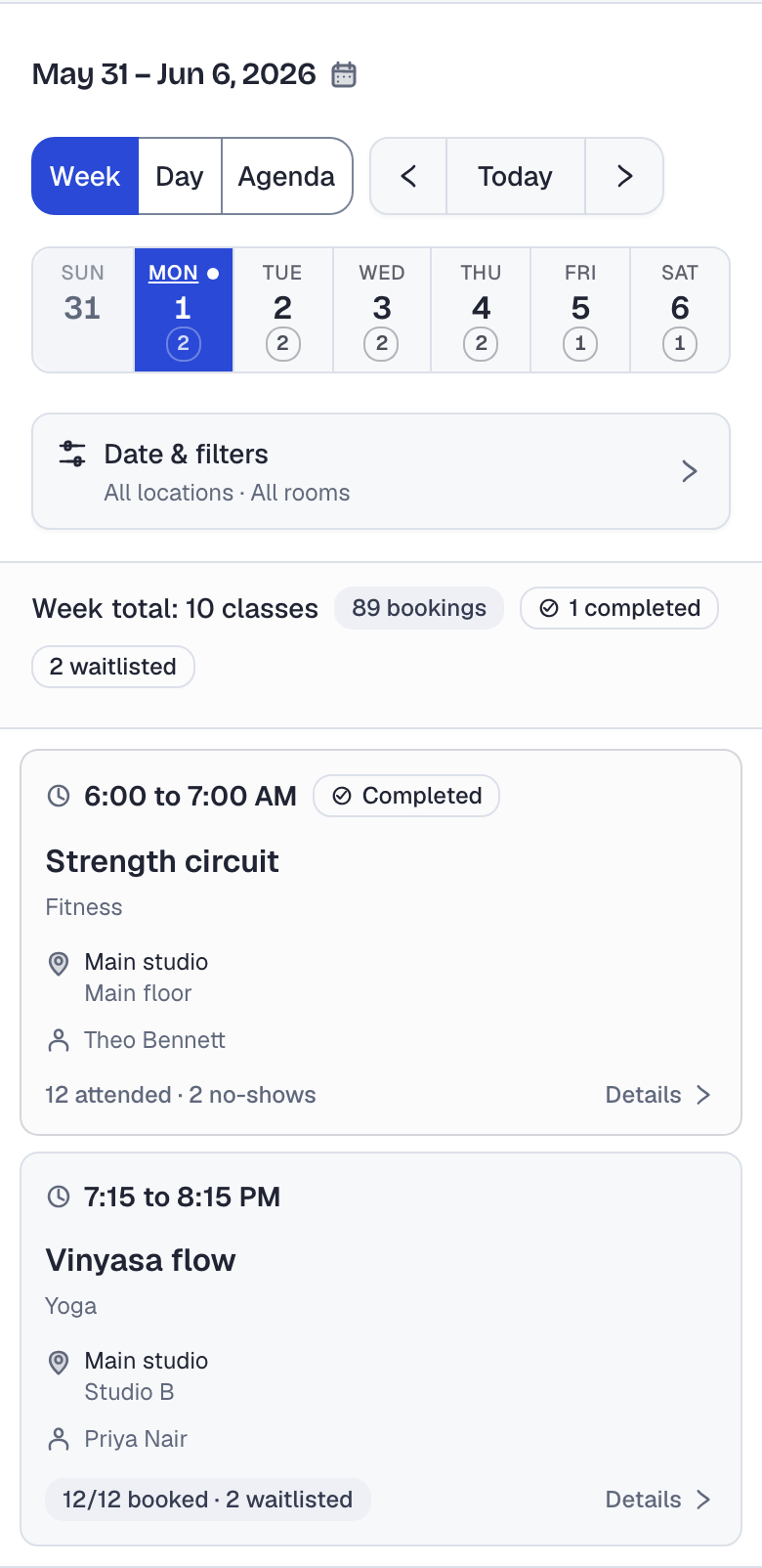
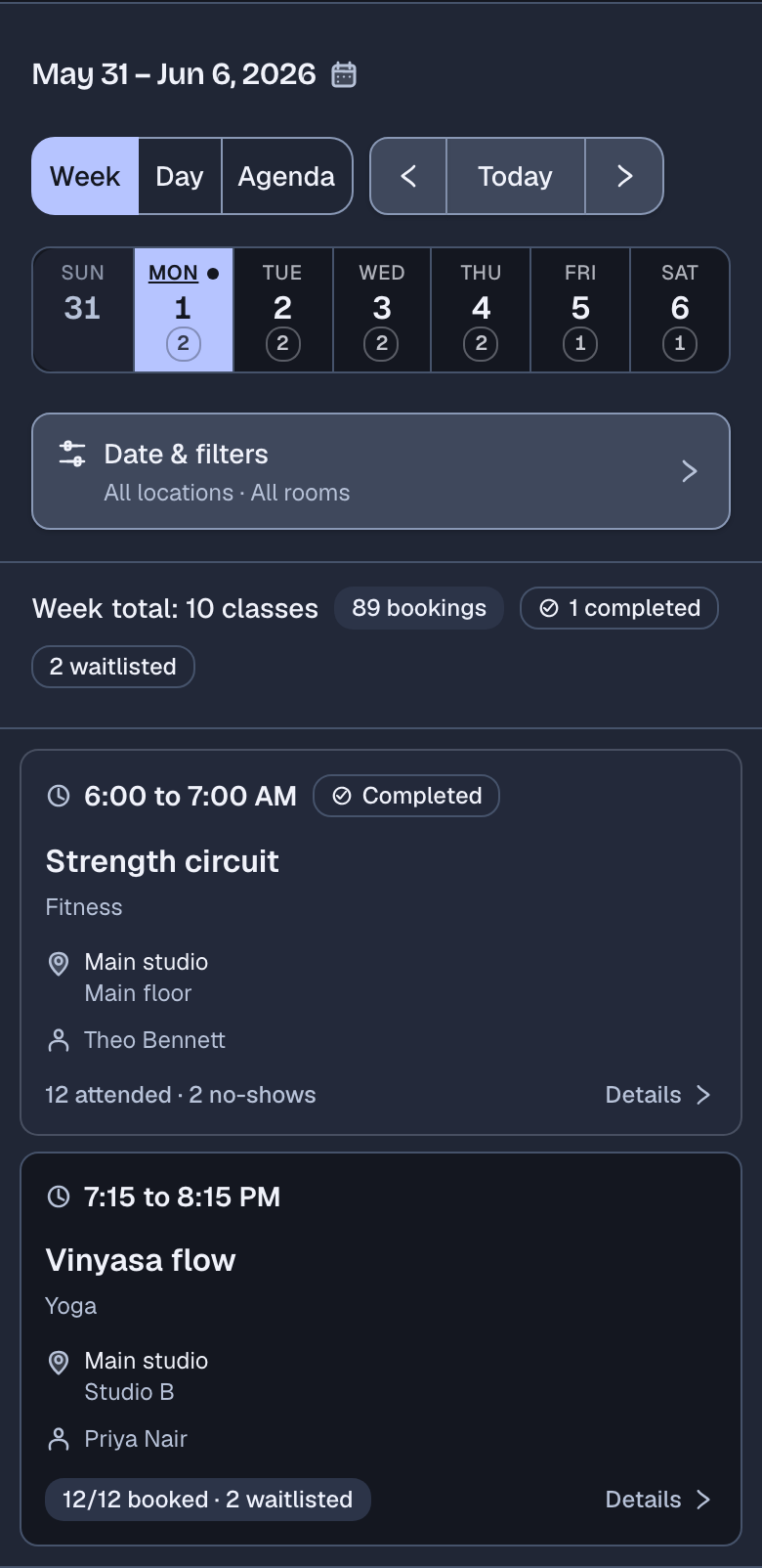
The staff calendar for one week at Example Studio: 10 classes, 89 bookings, 2 waitlisted. Monday's 6:00 AM Strength circuit is completed with 12 attended and 2 no-shows, and the 7:15 PM Vinyasa flow shows 12/12 booked and 2 waitlisted.
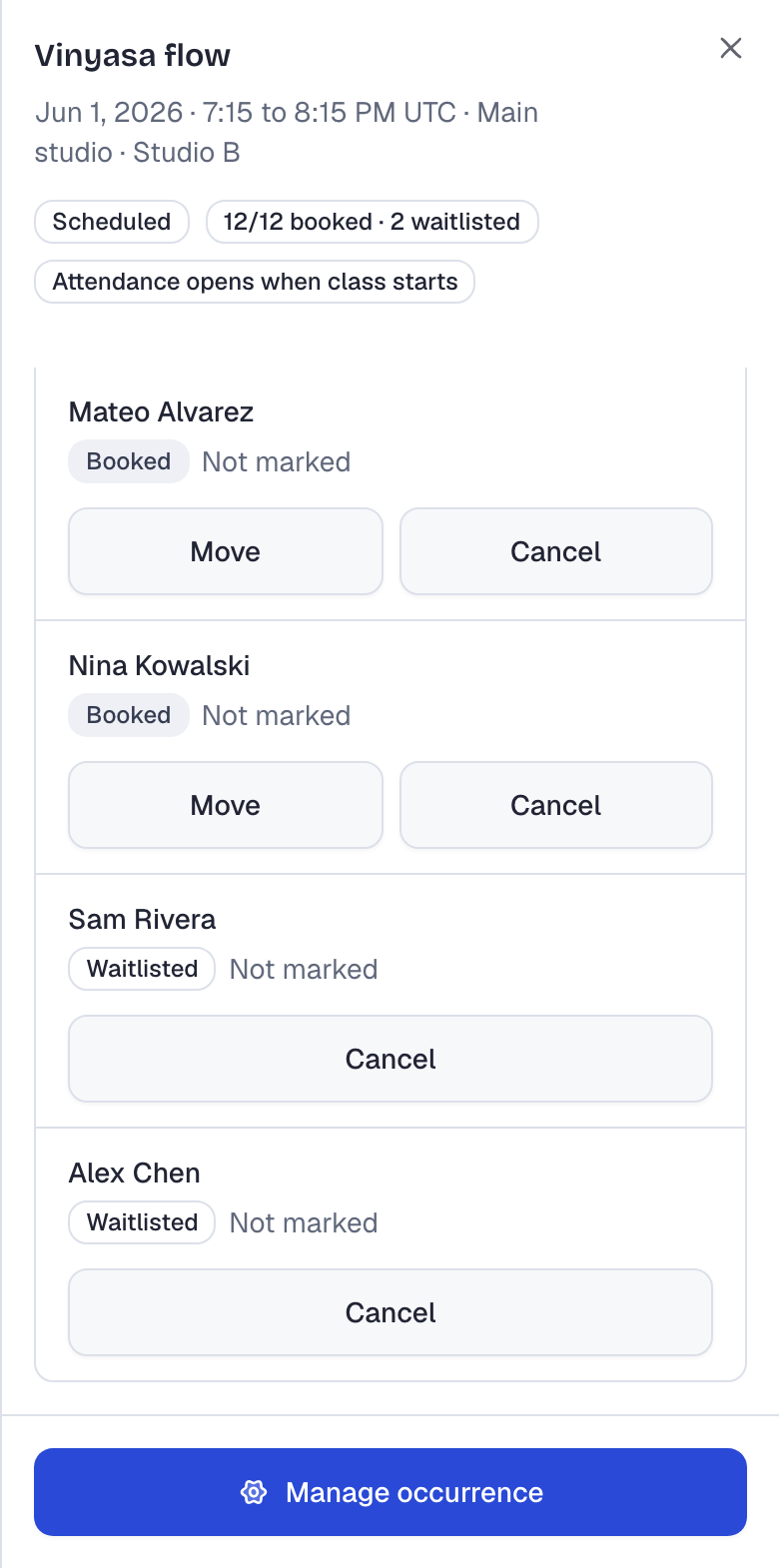
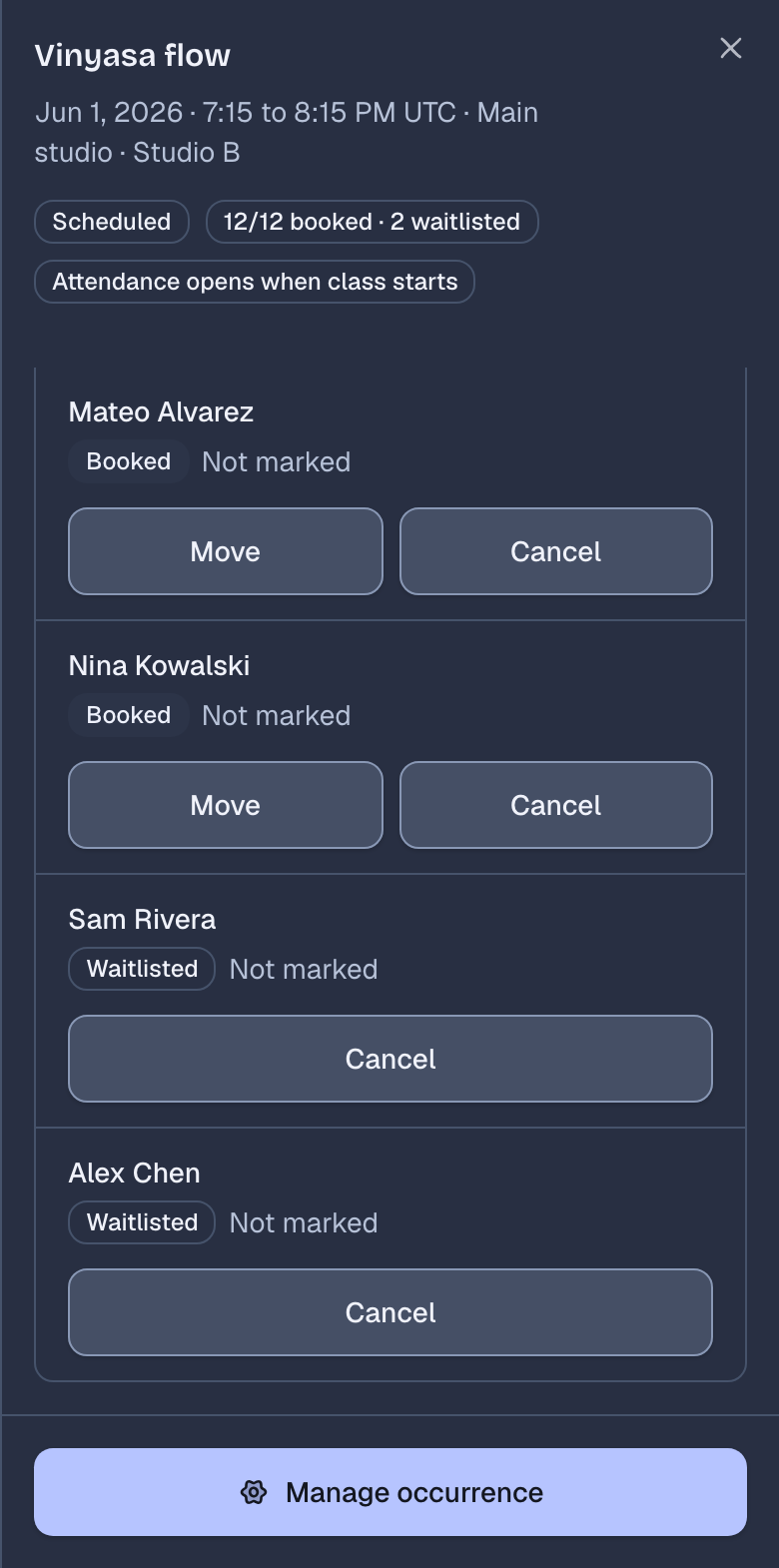
The roster of that Vinyasa flow class in Studio B: 12/12 booked and 2 waitlisted. Mateo Alvarez and Nina Kowalski are booked, and Sam Rivera is first on the waitlist.
The staff calendar for one week at Example Studio: 10 classes, 89 bookings, 2 waitlisted. Monday's 6:00 AM Strength circuit is completed with 12 attended and 2 no-shows, and the 7:15 PM Vinyasa flow shows 12/12 booked and 2 waitlisted.
The roster of that Vinyasa flow class in Studio B: 12/12 booked and 2 waitlisted. Mateo Alvarez and Nina Kowalski are booked, and Sam Rivera is first on the waitlist.

Handle membership changes with the details in view

Review a member's pause request alongside their membership details. Confirm the dates and check what they will owe. Some pauses use a price you've set; others need an owner or manager to review the amount before it is charged.

  • Staff see your limits for each pause reason before filling in the form.
  • Access stops for the paused dates. An open-ended pause lasts until staff resume it.
  • Payers can ask to pause or cancel in the member portal. The request changes nothing until staff record a decision.
  • A pause with a last day ends on its own the next day, so nobody has to resume it.
  • A period affected by a pause is billed automatically only when you have set a price for that kind of pause and chosen automatic billing. Otherwise an owner or manager reviews the amount before it is charged.
Guide: writing a pause policy
Staff back officeFreeze dialog
The Freeze this membership dialog with Travel or vacation selected and its limits: 1 hold left this year, 7 days minimum, 16 days of hold left this year, end date required. It shows the frozen days and the day access returns.

Keep family responsibilities clear

One adult may pay for a membership while another handles pickup. Record the payer, guardian, and authorized pickup contacts separately, with the permissions each person needs. Guardians can use the member portal to sign required waivers for their dependents.

  • The payer can be different from the people a membership covers.
  • Guardian authorization, authorized pickup, and emergency contacts are separate, dated records.
  • An authorized pickup contact gains no portal, waiver, or billing access from that role.
Guide: payer, guardian, and pickup roles
Staff back officeA child's record
The Guardian relationships card on Maya Okafor's record. Ada Okafor is her guardian, authorized with no end date, and active.
The Household and contacts card on the same record, with two people and their phone numbers and email addresses. Grace Mensah is an authorized pickup who may collect this person, and Daniel Okafor is an emergency contact.

Review progress across programs

Where your programs use levels

Use your own program names and level requirements. Review progress across programs, including alternative ways to qualify for a level. Your staff make the advancement decision.

  • Programs, tracks, and levels use your own names.
  • Requirements can include attendance, time at the current level, visits of a particular type, or a passed assessment.
  • Group requirements into alternative paths; completing one path makes a member ready for review.
  • Ready for review does not advance anyone. A staff member records every level change.
Guide: writing level requirements
Staff back officeProgression, ready for review
Maya Okafor's card in the progression workspace, marked Ready for review for Swim school, Level 2 to Level 3. Under Advancement criteria, marked Path met: attendance 26 of 24, 96 of 90 days at the current level, and a passed exam.

Review the move before changing systems

Preview the member records Rovari can import and fix flagged rows before bringing them in. Some records from your current system may need a separate plan.

Staff back officeImport preview
An import preview reading 176 ready, 4 quarantined, 180 source rows, with counts of the people, memberships, covered people, billing accounts, and guardian relationships it would create, and the four quarantined rows listed under Correct and upload a new file.

What the import covers

  • Upload a CSV file and map its columns to people, family links, plans, and dates.
  • Check the totals and flagged rows before bringing in the records, then approve the import.
  • Carry over paid-through dates so already-paid periods are not charged again.
  • Bring opening balances in with a review window before they are due.
  • Invite adult account holders in batches and see who still needs an invitation.

What to plan for

  • Saved payment cards do not transfer. Each payer adds a card, and a list shows who still needs to do it before their next payment.
  • Invitations go to adult account holders. Dependents are linked to those adults' records, and any other member login needs separate setup.
  • Records outside the import format need their own plan before you commit.
Guide: what to export and check before switchingCompare Rovari with established options

Questions before you join

Why build Rovari when other membership platforms exist?

We built Rovari to bring memberships, billing, visits, retail, and staff follow-up together for gyms, studios, and schools. It also handles changes that need care, such as moving a household to separate payers while keeping member records. Compare Rovari covers these workflows and the established alternatives.

Can we start using Rovari now?

Signup is not open yet. Pricing and terms will be announced before launch.

Who is Rovari for?

Rovari is for independent schools, studios, and gyms that run memberships, recurring classes, or both. See Who it's for for the workflows that apply to each kind of business.

Do we need a class schedule?

No. A plan includes the services you choose, and staff can check a member in at the Desk for a general visit with no class booked. Schedules, bookings, and waitlists are there when you run classes. Staff check members in at the Desk; Rovari does not connect to door hardware. See Rovari for gyms.

Can parents manage their children's records?

Authorized guardians can view linked dependents and sign required waivers through the member portal. Payment responsibility and pickup permissions are recorded separately.

Can a shared membership move to separate payers?

An owner or manager can review who stays with the current payer, who moves to a new one, and what each will owe for the next period. The current payer approves the change. The incoming payer accepts their price and adds a card. People keep their existing member records, and the change takes effect when the reviewed billing period begins. Earlier invoices and payment history stay with the original account.

Does Rovari replace our workout programming or marketing tools?

Rovari covers day-to-day operations such as billing, bookings, staffed visits, retail, and follow-up. Workout programming and automated marketing campaigns need separate tools, even where you use Rovari’s level tracking or member conversations.

Can a member pause or cancel through the portal?

The payer can request a pause or a cancellation. Staff confirm the membership change and its effective dates. Submitting a request does not change billing or access by itself.

What happens when a member's card payment fails?

The payer can add a new card, but the invoice stays unpaid until Stripe confirms payment. Access continues during seven days of grace. If money is still overdue afterward, covered members lose access unless another membership covers them or they’re exempt. Paying all overdue invoices clears that restriction. Pauses, waivers, and other entry rules still apply. A failed card payment adds no late fee and does not cancel the membership.

Does a pause adjust every charge automatically?

Only if you have set a price for that kind of pause and chosen automatic billing. Otherwise an owner or manager reviews the amount before the period is invoiced. If the member has already paid for the affected days, staff handle that adjustment separately on the membership.

Can we use our own program and level names?

Yes. Set your own names and requirements using attendance, time at a level, or passed assessments. You can offer alternative ways to qualify. Staff review readiness across programs and decide when each member advances.

What can we review before moving our member records?

Preview a mapped CSV, check the totals, and fix flagged rows before approving the import. Supported paid-through dates carry over, and a setup list shows which payers still need an account or card. Saved cards do not transfer. Review switching to Rovari.

Can staff share the work of answering inquiries?

Assign follow-up for joining inquiries and record contact made through your own email or phone. Member conversations in Rovari can be assigned, handed off, and resolved. Automated marketing campaigns need a separate tool.

What should we check about payments and country support?

The card billing shown here is for US businesses charging in US dollars through each organization's connected Stripe account. Signup is not open yet. If you need another payment method, country, or currency, check that before planning a switch.

How much will Rovari cost?

Pricing and terms are not published yet. Review the software subscription, payment processing costs, onboarding terms, and cancellation terms before committing. The comparison guide includes questions to ask about the full cost of any platform.

Sign in to Rovari

Staff and members can return to the workspace they already use.

See how Rovari fits your day

Start with the membership work that takes the most attention in your business, then check it against the workflows above.

Early-access requests are not open on this site yet.